On your brand, automatically
Every email uses your saved theme — colours, wordmark, tagline — so it looks like you, not a generic template. Set up your brand theme →
See this in the full product walkthrough:
Branded Email turns a plain request into a polished, on-brand HTML email — no design tool, no HTML, no hunting for a template to copy-paste. Tell your AI what you need (“invoice Example Bakery for analytics onboarding and dashboard setup”), and atbridge designs it: headings, columns, tables, charts, status badges, callouts — all styled by your brand theme, composed and sent right from Thunderbird, on your machine.
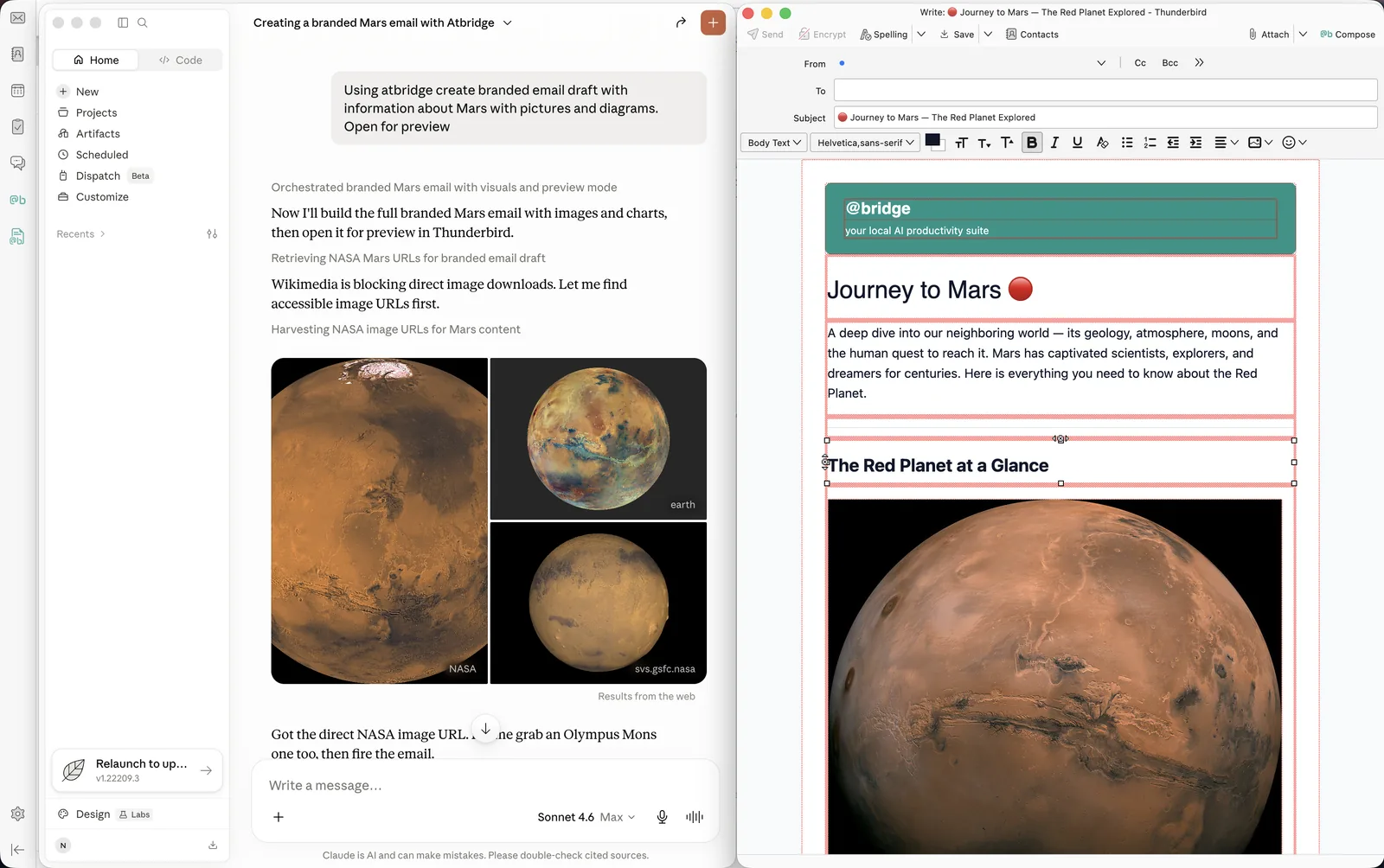
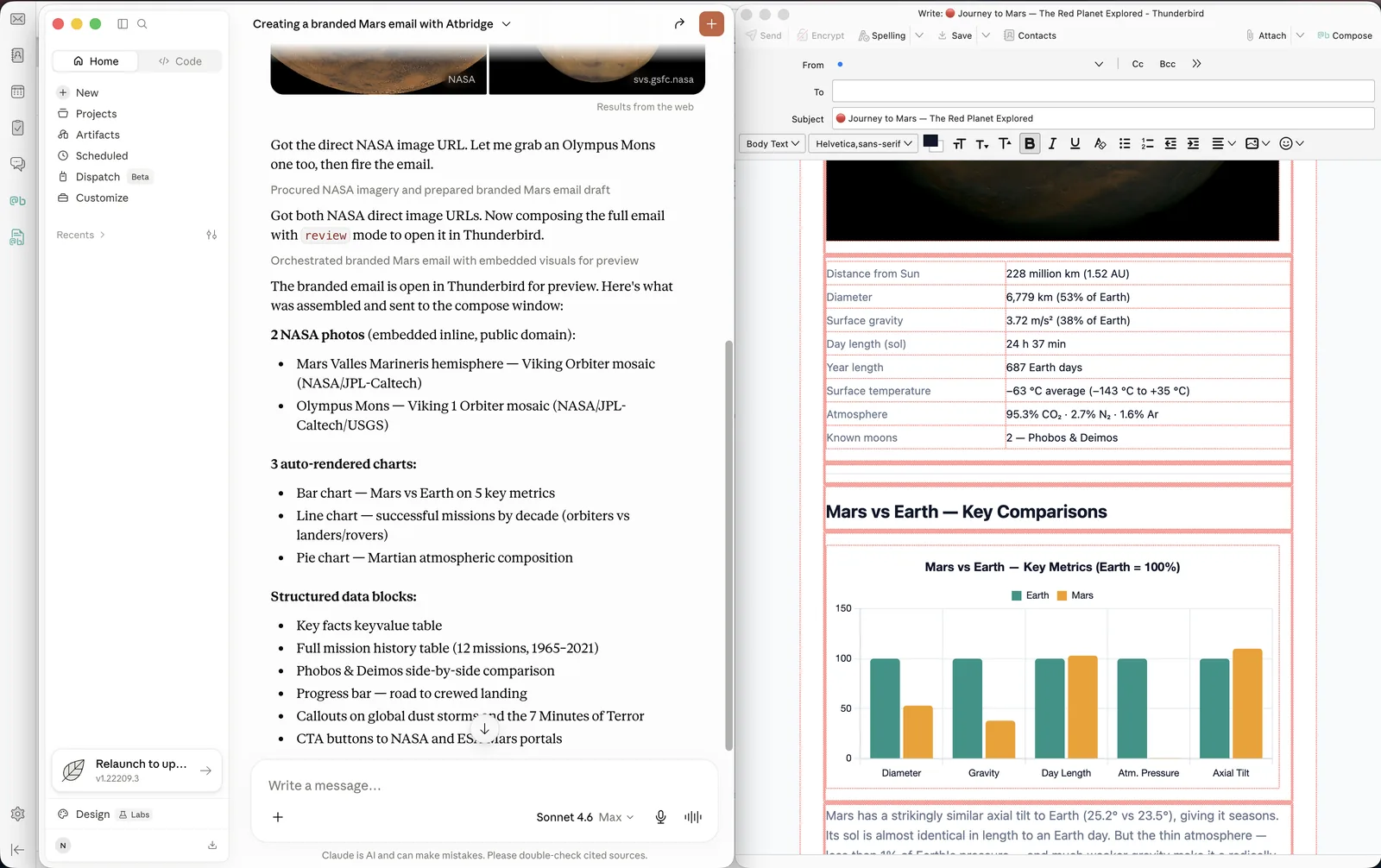
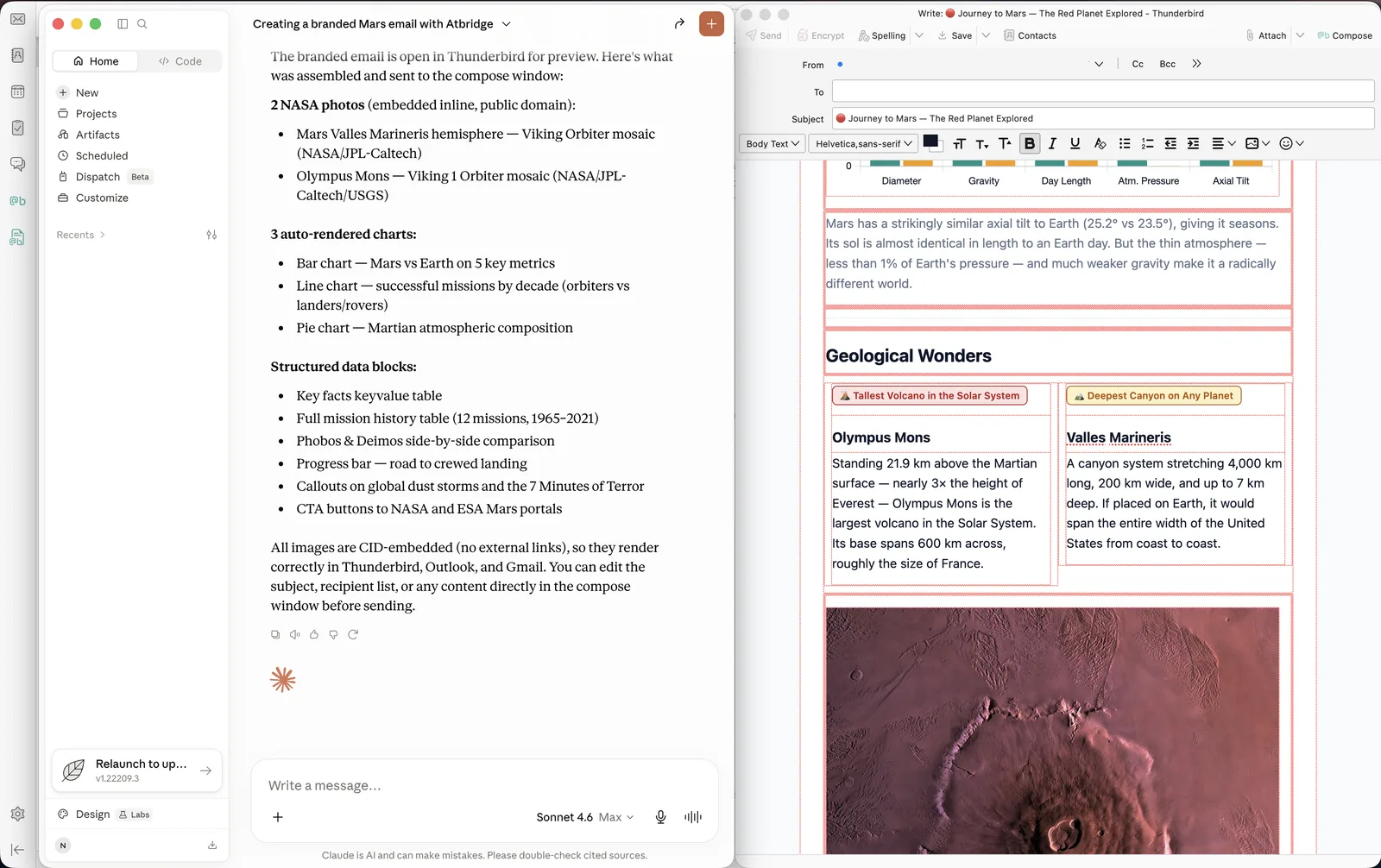
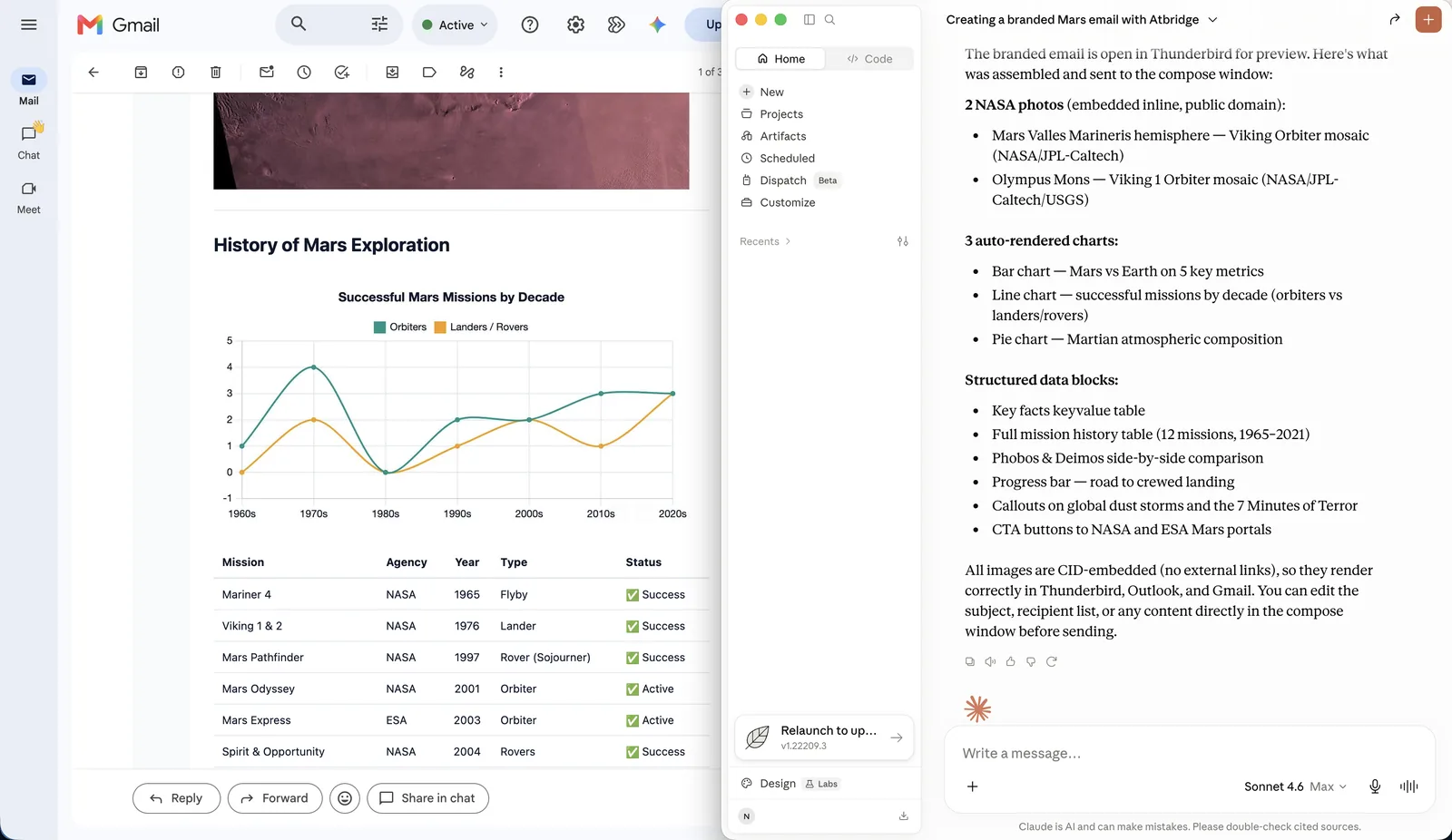
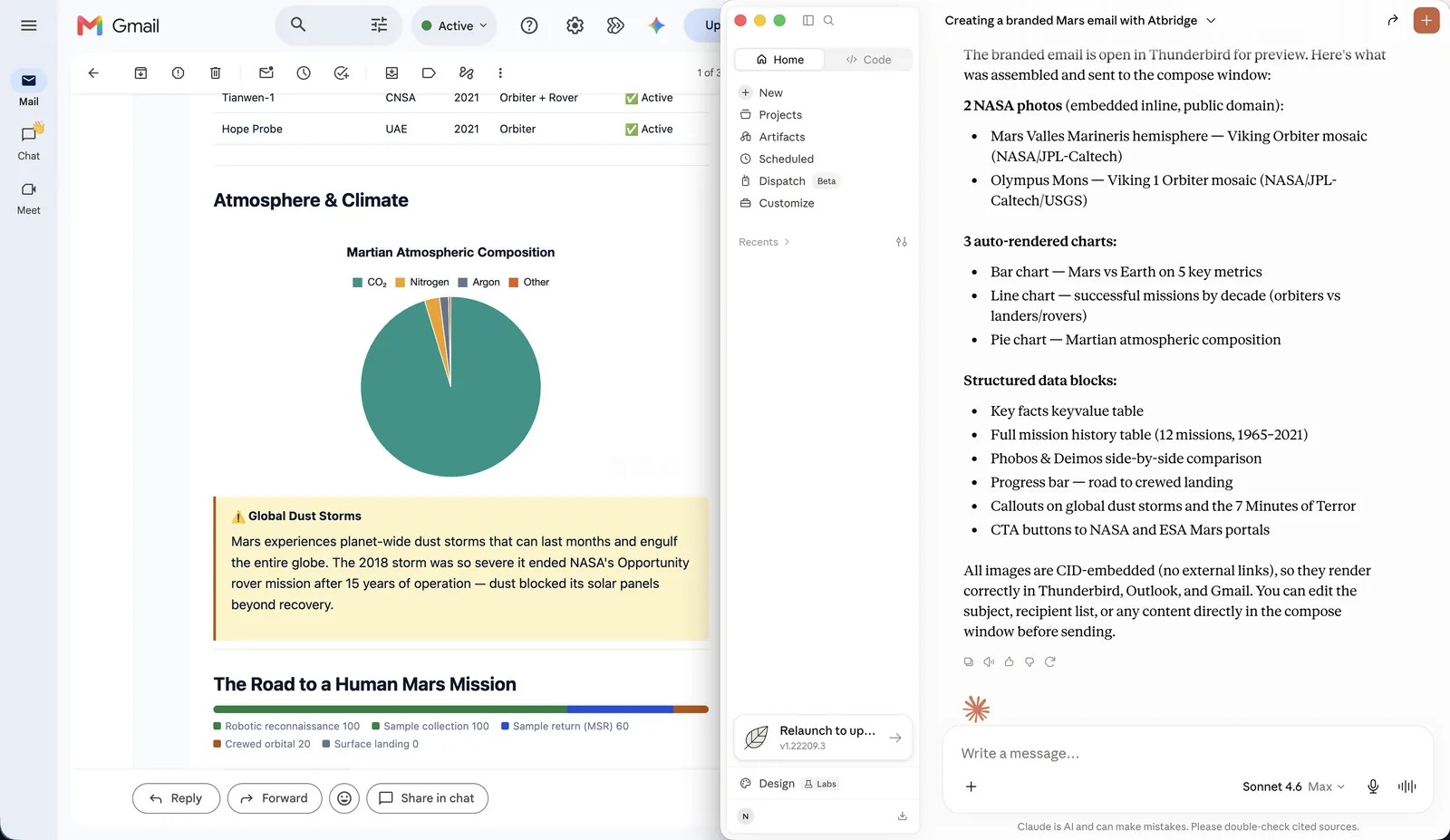
Here’s the important part: your AI never hand-codes the HTML. Large language models are unreliable at email HTML — the markup is fiddly and what they produce rarely survives Gmail or Outlook. So atbridge splits the job:
You get a polished, consistent email — not a brittle one-off the model guessed its way through.
Start from a ready template — just say which one, fill in the blanks, send.
Made one you love? On Pro and Enterprise you can save your own templates and reuse the layout anytime.
On your brand, automatically
You describe, AI designs
Real building blocks
Local & private
The fastest way is to ask. In Thunderbird (or any connected AI), say “draft an invoice to Example Bakery for analytics onboarding and dashboard setup” — atbridge starts from the invoice template, already on your brand.
Prefer the command line?
atbridge compose templates list — see them allatbridge compose templates show invoice — get a ready spec to fill inatbridge compose render --spec your-invoice.json — render + open it in ThunderbirdMore templates are coming in next releases.
Was this page helpful?
Thanks for the feedback!